

Choosing a Learning Management System is about more than comparing monthly subscription fees. Australian Registered Training Organisations (RTOs) typically encounter five common pricing models: flat monthly subscriptions, per active student pricing, per registered student pricing, feature-tier pricing, and custom enterprise pricing.
Each pricing model affects budgeting, scalability, and long-term operating costs differently. While some appear inexpensive initially, additional charges for onboarding, customer support, reporting, compliance features, AI tools, or implementation can significantly increase the total cost of ownership over time.
For most Australian RTOs, the best pricing model is one that delivers predictable costs, includes the features your organisation uses every day, and scales as your student numbers grow. Rather than choosing the cheapest option, compare what is included, how pricing changes over time, and whether the platform helps reduce administration.
The guide below explains how each pricing model works, the questions every RTO should ask before signing a contract, and the red flags that often lead to higher costs later.
Learning Management System Pricing Models Compared
| Pricing Model | How It Works | Best For | Things to Watch For |
| Flat Monthly Subscription | One predictable monthly fee, usually with a student allowance included. | Small to medium Australian RTOs wanting predictable budgeting. | Check student limits, implementation costs, and included features. |
| Per Active Student | Charges only for students actively training during each billing period. | Seasonal enrolments or fluctuating student numbers. | Monthly costs can vary significantly, making budgeting difficult. |
| Per Registered Student | Charges for every enrolled student, regardless of activity. | Organisations with consistently active enrolments. | Paying for inactive or deferred students can increase costs. |
| Feature-Tier Pricing | Different subscription levels unlock additional functionality. | Organisations with basic requirements initially. | Essential features such as reporting, AI or compliance tools may require expensive upgrades. |
| Custom Enterprise Pricing | Pricing is tailored to organisations with complex requirements. | Large multi-campus providers. | Custom quotes can make comparing vendors more difficult. |
No single pricing model suits every RTO. The right choice depends on your student numbers, projected growth, delivery model, and operational requirements. The following sections explain how to evaluate each option before making your investment.
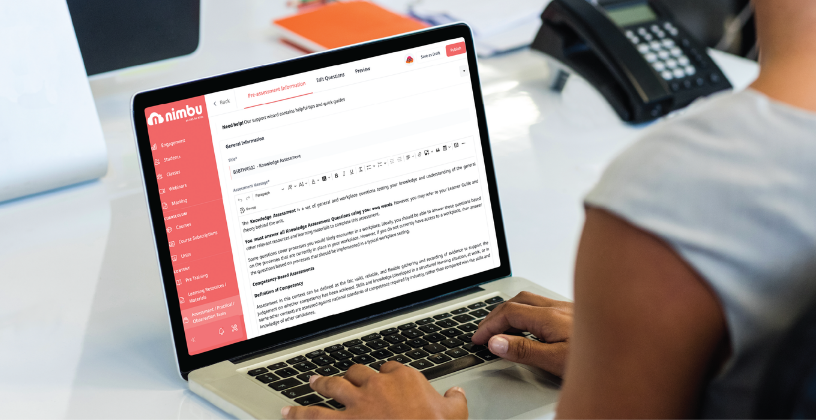
1. Understand How Learning Management System Australia Providers Structure Pricing
Not every Learning Management System Australia provider prices its platform in the same way.
Some charge a fixed monthly subscription, while others base pricing on active students, registered students, or feature tiers. Some providers also charge separately for implementation, onboarding, reporting, customer support, AI tools, or software integrations.
Before comparing subscription prices, ask the vendor these questions:
- Is implementation included in the quoted price?
- Is onboarding included?
- Does pricing increase as student numbers grow?
- Are software updates included?
- Is customer support included?
- Are compliance features included?
- Are AI capabilities included or sold separately?
What good pricing looks like
- Transparent monthly pricing
- Predictable budgeting
- Ongoing customer support included
- Regular software updates included
- Core functionality included from day one
Red flags to watch for
- Separate implementation fees
- Paid onboarding
- Additional charges for support
- Compliance modules sold separately
- AI functionality locked behind premium plans
For example, Nimbu uses a transparent pricing model that starts from $850 per month, including up to 500 student seats. The subscription includes ongoing customer support, product updates, and core platform functionality, making it easier for Australian RTOs to budget confidently without unexpected costs.

2. Compare Total Cost of Ownership, Not Just Monthly Fees
The cheapest monthly subscription isn’t always the lowest-cost option over the life of your LMS.
Some platforms advertise attractive entry-level pricing but require additional purchases for:
- AVETMISS Export
- AI functionality
- Assessment tools
- Reporting modules
- Customer support
- Integrations
- Staff training
- Platform upgrades
These costs often have a greater impact on your budget than the subscription itself.
Instead of comparing monthly fees alone, calculate the total cost of ownership by considering:
- Monthly subscription
- Implementation
- Onboarding
- Staff training
- Product support
- Software upgrades
- Additional modules
- Future scalability
Ask the vendor
- Which features are included in the base subscription?
- Are there any mandatory onboarding costs?
- Will support ever incur additional charges?
- Are software updates included?
- Will we need additional software to manage compliance or reporting?
What good pricing looks like
A pricing model that includes the functionality your organisation needs without requiring multiple paid add-ons.
Red flags to watch for
- Essential features available only on higher plans
- Paid reporting modules
- Hidden implementation costs
- Ongoing support sold separately
- Multiple third-party subscriptions needed to complete everyday workflows
A platform that reduces administration and replaces multiple software subscriptions often delivers far greater long-term value than simply choosing the lowest monthly fee.
3. Choose an LMS That Can Scale With Your Organisation
Your pricing model should continue supporting your organisation as it grows.
As your RTO expands, you may:
- Introduce new qualifications
- Increase student enrolments
- Employ additional Trainers
- Expand online delivery
- Open additional campuses
- Introduce AI-assisted workflows
Your LMS should scale alongside these changes without creating unpredictable costs or forcing frequent upgrades.
Before signing a contract, ask:
- How does pricing change as student numbers increase?
- Are additional administrators included?
- Is there a cost for extra campuses?
- Can we move between plans easily?
- Does the subscription continue including support and updates as we grow?
What good pricing looks like
A scalable pricing model that grows alongside your organisation while maintaining predictable monthly costs and consistent platform functionality.
Red flags to watch for
- Large pricing jumps between subscription tiers
- Paying for inactive students
- Forced upgrades as enrolments increase
- Different features becoming unavailable as your organisation grows
Choosing a scalable pricing model today helps avoid costly software migrations tomorrow while giving your team confidence that your Learning Management System will continue supporting your organisation as it evolves.

4. Compare Value Instead of Monthly Cost When Evaluating LMSs
Two LMSs may have similar subscription prices but deliver very different values.
Rather than asking, “Which platform is cheapest?”, ask, “Which platform helps our team work more efficiently while reducing long-term operating costs?”
A lower monthly subscription can quickly become more expensive if your organisation needs to purchase additional software or upgrade to higher pricing tiers just to access essential functionality.
When comparing vendors, ask these questions:
- Does the platform include onboarding?
- Are product updates included?
- Is customer support included?
- Does it include compliance workflows?
- Are AI tools included?
- Does the platform reduce administration?
- Will our team need additional software to complete everyday tasks?
What good value looks like
A platform that includes the functionality your organisation uses every day without requiring multiple subscriptions or expensive upgrades.
Red flags to watch for
- Compliance features sold separately
- AI tools available only on premium plans
- Paid software updates
- Additional charges for customer support
- Essential reporting tools locked behind higher pricing tiers
The right platform isn’t always the one with the lowest monthly fee. It’s the one that delivers the greatest operational value over the life of your investment.
5. Choose Training Management Software That Delivers a Return on Investment
The greatest return on investment doesn’t come from paying less, it comes from saving time.
Effective Training Management Software reduces repetitive administration so Trainers and administrators can focus on delivering quality training rather than maintaining paperwork.
Look for workflows that simplify everyday tasks such as:
- Assessment management
- Student communication
- Practical Observations
- Learning delivery
- Progress tracking
- AVETMISS Export
Modern AI tools can also reduce the time required to create and maintain course content.
Michi AI Assistant is designed specifically for Content Editors. Using uploaded training materials, it generates:
- Assessments
- Practical Observations
- Quizzes
- Articles
- Pre-Training Reviews
- Learning materials
This significantly reduces the time spent creating first drafts while allowing Content Editors to review and customise the final output.
Students are also benefiting from AI.
Inside Nimbu’s Microsite, Michi Tutor Assistant allows students to generate:
- Personalised content summaries
- Up to 10 Flashcards
- Practice quizzes
based on the unit they are currently studying.
These tools improve productivity without replacing the expertise of Trainers or Content Editors. The more time your team saves each week, the greater the return your Learning Management System delivers.

6. Choose RTO Software Built Specifically for Australian Providers
Many generic learning platforms were designed for broad corporate training rather than Australian vocational education.
As a result, RTOs often need to customise these systems or purchase additional software to meet their operational requirements.
Purpose-built RTO Software is designed around the workflows Australian training providers use every day.
When evaluating sector-specific software, ask:
- Does it support Australian compliance workflows?
- Is AVETMISS Export included?
- Does it simplify Practical Observations?
- Does it include structured Learning Journeys?
- Are product updates included?
- Is customer support provided by a team familiar with Australian RTOs?
What good sector-specific software looks like
A platform designed specifically for Australian vocational education that includes practical workflows without requiring extensive customisation.
Red flags to watch for
- Generic corporate LMS platforms requiring major configuration
- Compliance handled through third-party software
- Separate subscriptions for essential RTO functionality
- Limited understanding of Australian vocational education
Purpose-built software helps organisations spend less time adapting technology and more time delivering quality training.
Pricing Evaluation Checklist
Before selecting a Learning Management System, use this checklist to compare vendors.
| Question | Good Answer | Potential Red Flag |
| Is onboarding included? | Guided onboarding included in the subscription. | Additional implementation or onboarding fees. |
| Is customer support included? | Ongoing support with no extra charges. | Paid support packages. |
| Are compliance workflows included? | AVETMISS Export and Practical Observations included. | Compliance modules sold separately. |
| Are AI tools included? | AI functionality included in the subscription. | AI available only on premium plans. |
| Will pricing remain predictable as we grow? | Transparent pricing with clear student allowances. | Large price jumps between subscription tiers. |
| Are software updates included? | Regular updates included at no additional cost. | Upgrade fees or paid version releases. |
Taking the time to ask these questions before purchasing can help avoid unexpected costs and ensure your organisation selects a platform that continues delivering value as it grows.
The Right Pricing Model Supports Long-Term Growth
Choosing a Learning Management System isn’t simply about finding the lowest monthly subscription.
It’s about selecting a pricing model that gives your organisation predictable costs, practical functionality, ongoing support, and the flexibility to grow without unexpected expenses.
For many Australian RTOs, transparent pricing provides greater confidence than complicated billing structures based on multiple feature tiers or fluctuating student numbers.
Nimbu follows this approach with pricing starting from $850 per month, including up to 500 student seats. The subscription includes practical features such as Learning Journey, Learning Progress Summary, Practical Observations, AVETMISS Export, Microsite, Michi AI Assistant, Michi Tutor Assistant, ongoing product updates, and responsive customer support.
You can also use Nimbu’s Monthly Cost Calculator to estimate your subscription before speaking with our team.
When evaluating LMS providers, compare the complete value each platform delivers, not just the monthly fee. The right investment today can save significant time, reduce administration, and support sustainable growth for years to come.