

The first 30 days after implementing an LMS for RTOs play a significant role in determining whether your organisation achieves long-term success with the platform. A well-planned rollout helps trainers, administrators, and students adopt new workflows confidently while reducing disruption to everyday training delivery.
Rather than trying to configure everything at once, successful implementations follow a structured timeline. Each week focuses on a different stage, from configuring your RTO management system and preparing course content to launching your first class and reviewing operational performance.
Here’s what your first month should look like.
Week 1: Build the Foundation
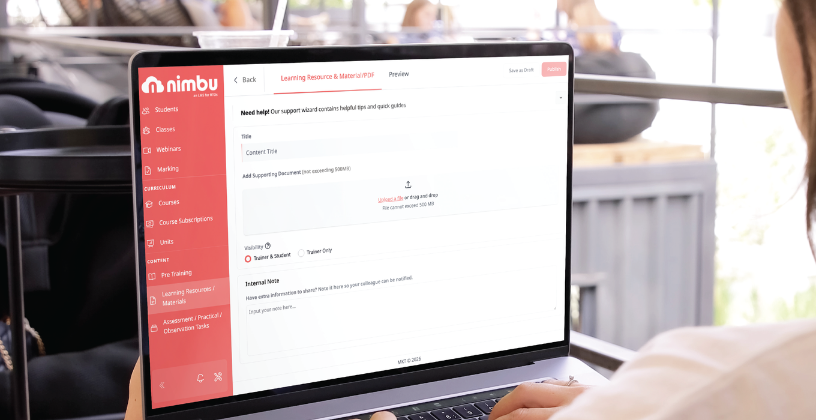
The first week focuses on configuring your LMS so it reflects how your RTO operates before students begin using the platform. Instead of immediately importing courses or enrolling students, take the time to establish the settings that will support your organisation long term.
Assign implementation responsibilities
A successful rollout involves several stakeholders, each responsible for different parts of the implementation.
Typically this includes:
- Owners and Managers overseeing timelines and approving key implementation decisions.
- Administrators configuring organisation settings, managing users, and preparing reporting workflows.
- Compliance Managers reviewing qualification structures, student records, and reporting requirements.
- Content Editors preparing course resources and assessments.
- Trainers learning the workflows they’ll use when delivering courses.
Defining responsibilities early keeps the implementation organised and helps avoid duplicated work.
Configure organisation settings
Before your LMS goes live, administrators should configure the platform to match the way the organisation operates.
This includes:
- Organisation branding
- User roles and permissions
- Trainer activation settings
- Qualification and unit structures
- Learning Journey defaults
- Notification settings
- Role-based access controls
These settings provide the framework that supports consistent training delivery across the organisation.
Connect integrations
If your organisation uses external systems, configure these before launching the platform.
Depending on your requirements, this may include:
- SMS notifications
- Email notifications
- Authentication settings
Testing integrations before launch helps prevent unnecessary disruptions once students begin accessing the platform.
Questions to answer before Week 2
Before moving on, confirm:
- Can every staff member access the correct areas of the platform?
- Have qualifications and units been configured correctly?
- Have integrations been tested successfully?
- Are organisation settings ready for course creation?
Completing these checks provides a solid foundation for the next stage of implementation.
Week 2: Prepare Courses for Delivery

With the platform configured, the focus now shifts to building your learning environment.
Rather than importing every historical course immediately, begin with one qualification. Starting small makes it easier to test workflows and refine processes before expanding across the organisation.
Prioritise one qualification
Choose one qualification, one delivery team, and one student cohort for your initial rollout. This pilot approach allows your team to identify improvements before introducing additional courses.
Build your learning environment
Prepare the core learning components your trainers and students will use every day, including:
- Learning Journey
- Pre-Training Reviews (PTRs)
- Pre-Course Materials (PCMs)
- Assessments
- Practical Observations
- Self-Marking Quizzes
- Learning resources
By the end of the second week, your first course should be ready for delivery.
Use Michi AI Assistant to accelerate content creation
Developing learning materials is often one of the most time-consuming parts of implementation.
Michi AI Assistant helps Content Editors generate:
- Assessments
- Quizzes
- Learning materials
- Training articles
- Pre-Training Reviews
It can also brainstorm ideas, import existing documents or website URLs, and apply AI-generated content directly into courses, reducing repetitive work while helping teams prepare content faster.
Review Unit Versioning and Cluster Units
Before launching your first course, confirm that:
- Unit Versioning has been configured correctly.
- Cluster Units have been organised where required.
- Qualification structures reflect your current training delivery.
Reviewing these settings early helps avoid unnecessary updates once students are active.
Week 3: Launch Your First Pilot Class
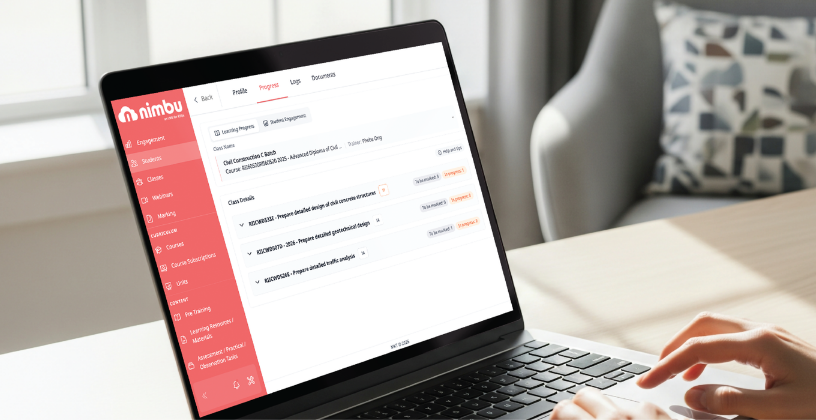
Week three marks the transition from preparation to delivery.
Instead of launching every course simultaneously, begin with a single pilot class. This allows your team to test workflows in a real learning environment while keeping implementation manageable.
Run one class first
Monitor how the platform performs by reviewing:
- Student enrolments
- Attendance
- Assessment submissions
- Student progress
- Trainer workflows
A pilot class provides valuable feedback before expanding implementation across the organisation.
Support trainers through internal champions
Identify experienced trainers who can act as internal champions during implementation.
These staff members can:
- Demonstrate everyday workflows.
- Share practical tips.
- Answer colleague questions.
- Encourage consistent adoption across the team.
Peer support often accelerates adoption more effectively than formal training alone.
Onboard students through Microsites
Students should receive clear guidance on:
- Logging into the platform.
- Accessing learning materials.
- Completing assessments.
- Following their Learning Journey.
- Tracking their progress.
Students can also use Michi Tutor Assistant to receive instant AI-powered support for course-related questions whenever they study, helping them continue learning even outside normal training hours.
Capture feedback early
During the first live week, collect feedback from both trainers and students.
Common questions often include:
- Where do I submit assessments?
- How do I update student progress?
- Why can’t I access my class?
- Where can I view assessment feedback?
Resolving these questions early improves confidence and reduces support requests as more students join the platform.
Week 4: Review Performance and Strengthen Compliance

By the fourth week, your organisation has enough activity to evaluate how implementation is progressing.
This is the time to review performance, refine workflows, and ensure your learning management system for RTOs is supporting day-to-day operations effectively.
Review implementation metrics
Monitor key indicators such as:
- Student engagement
- Assessment completion
- Trainer activity
- Learning Journey progress
- Support requests
- User adoption
These insights help identify where additional training or workflow improvements may be required.
Run your first AVETMISS export
Once student activity has been captured, administrators can generate their first AVETMISS reporting export.
Before exporting, verify:
- Enrolment records
- Competency outcomes
- Reporting fields
- Student data accuracy
Reviewing this information early supports ongoing RTO compliance and makes future reporting more straightforward.
Optimise your workflows
Use feedback gathered during the first month to refine:
- Trainer permissions
- Learning Journeys
- Notifications
- Assessment workflows
- Reporting settings
Small improvements now create smoother operations as student numbers increase.
Prepare for the next stage
By the beginning of the second month, your organisation should have:
- Confident administrators
- Trained trainers
- Active students
- Established assessment workflows
- Reliable reporting processes
Implementation is no longer the focus—continuous improvement becomes the priority.
Your First Month Sets the Foundation for Long-Term Success
The first 30 days after implementing an LMS for RTOs establish the habits, workflows, and processes that shape long-term success.
By following a structured rollout, Australian training providers can strengthen compliance, improve trainer confidence, reduce administration, and create a more consistent learning experience for students.
Choosing an RTO software Australia provider that offers guided onboarding, practical implementation support, and ongoing customer success can make this transition significantly smoother. With purpose-built features such as Learning Journey, Practical Observations, Marking Dashboard, Michi AI Assistant, Michi Tutor Assistant, and integrated reporting, Nimbu helps your organisation move beyond implementation and focus on delivering high-quality vocational education.